Key Takeaways
- Countertop POS terminals are fixed, reliable, and best for high-volume, counter-service cafes with predictable transaction flows
- Portable POS terminals offer mobility and flexibility for table service, outdoor patios, and managing peak-hour lines
- Countertop terminals cost more upfront ($899–$1,024+) but tend to last longer, while portable terminals start lower ($299–$749) with possible recurring connectivity fees
- Most growing cafes benefit from a hybrid setup: one countertop terminal as the primary station plus portable devices for floor coverage
- The right choice depends on your café's layout, service model, transaction volume, and growth plans
Countertop vs Portable POS Terminals: Quick Comparison
Both terminal types run the same core POS software but differ in deployment, form factor, and where they fit best in a specialty retail environment.
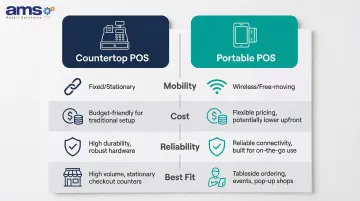
| Countertop | Portable | |
|---|---|---|
| Mobility | Fixed to a single station; requires power and typically a wired connection | Wireless, battery-powered; staff can process transactions anywhere on the floor or lot |
| Cost | Higher upfront hardware cost ($500–$1,200+ depending on configuration); lower ongoing fees; lifespan of 3–7+ years | Lower hardware entry point ($300–$750 for handheld terminals); factor in software subscriptions, cellular data, and battery replacement cycles |
| Reliability | Wired connection provides consistent uptime; less vulnerable to Wi-Fi interruptions during peak hours | Dependent on Wi-Fi or cellular coverage; prioritize devices with offline-mode capability to avoid service gaps |
| Best Fit | High-volume checkout lanes, dedicated service counters, single-zone layouts | Outdoor sales areas, roaming floor staff, multi-zone stores, seasonal pop-up locations |
What Is a Countertop POS Terminal?
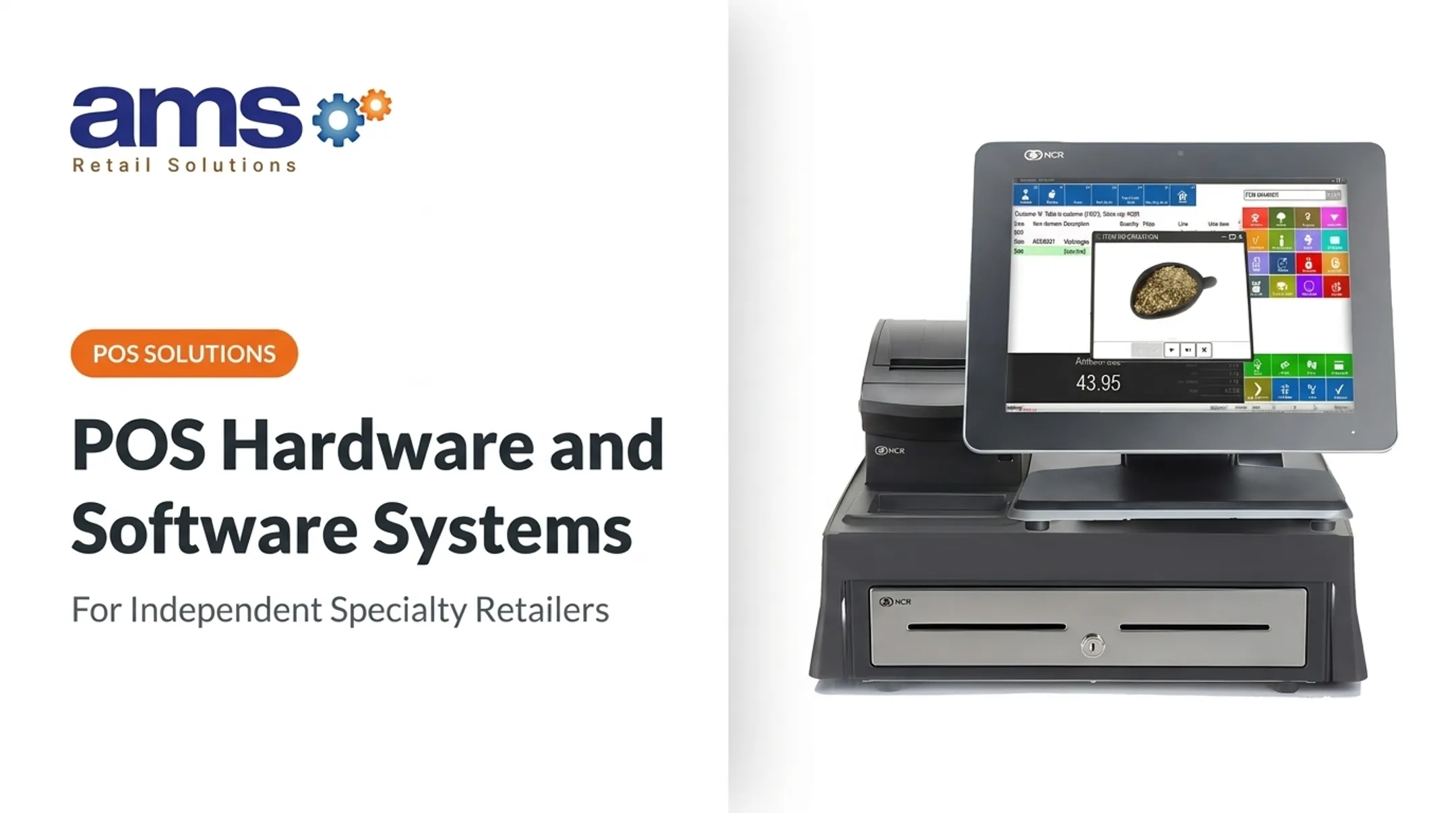
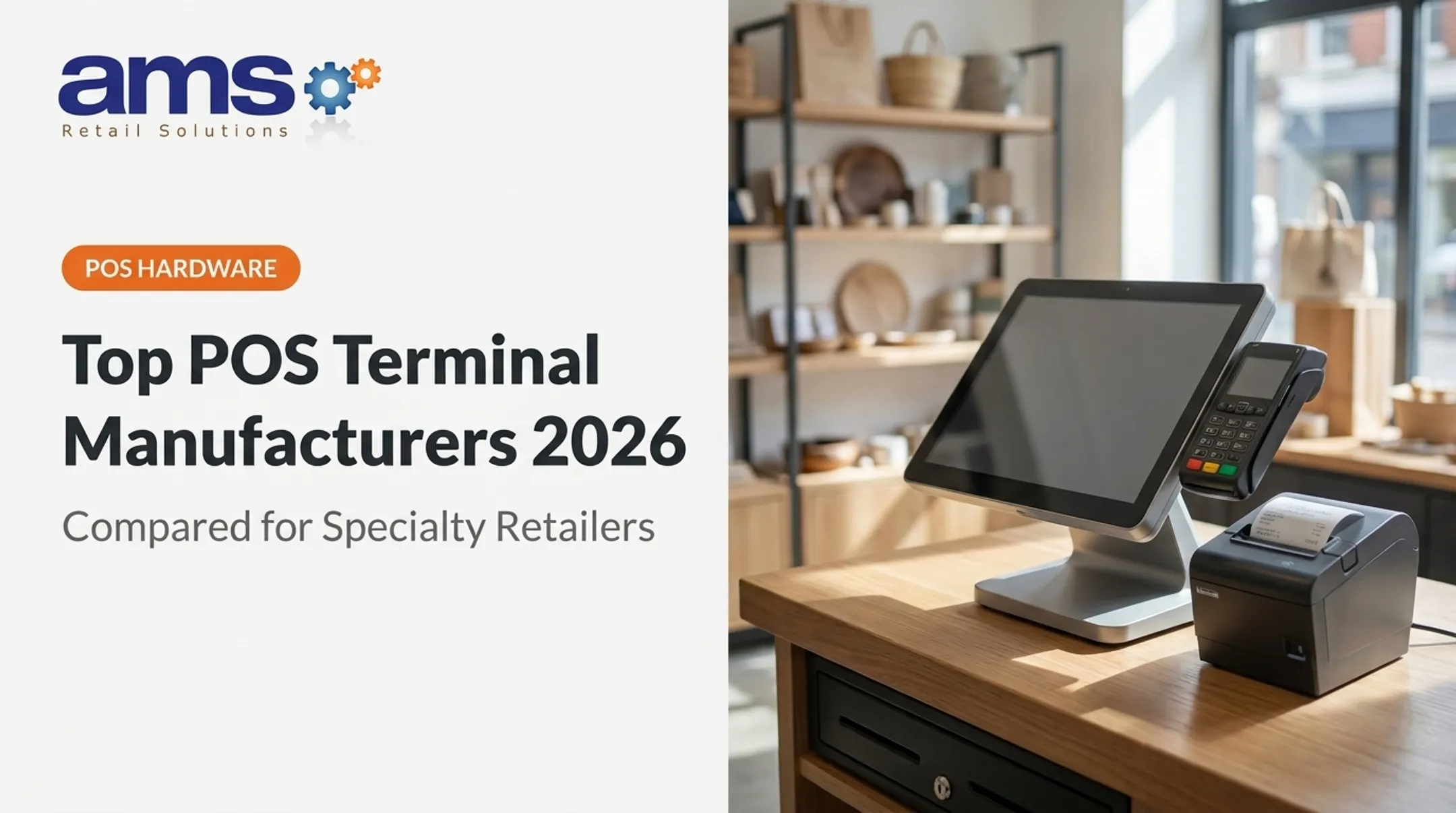
A countertop POS terminal is a fixed, stationary point-of-sale device installed at a dedicated checkout station. It typically integrates a touchscreen display, receipt printer, cash drawer, and card reader into one robust setup.
Countertop terminals suit the café environment well. They handle high transaction volumes without interruption, support complex order modifiers like custom drink builds with multiple add-ons, and connect reliably with kitchen display systems and inventory management tools.
Typical Hardware Components
A standard countertop café POS setup includes:
- Touchscreen terminal for order entry and transaction processing
- Customer-facing display showing itemized purchases and payment totals
- Card reader supporting EMV chip, NFC tap-to-pay, and contactless payments
- Receipt printer for customer receipts and kitchen tickets
- Cash drawer (optional) for counter cash transactions
Each component supports fast counter-service workflows, keeping lines moving during peak hours.
Durability Advantage
Countertop terminals are built for heavy daily use and often outlast portable devices. Industry standards place the replacement cycle at 3 to 5 years, with some systems lasting 5 to 7 years depending on usage intensity. Their stationary nature reduces the risk of drops, and a constant power supply eliminates battery degradation—a primary failure point for portable devices.
Use Cases for Countertop POS in Cafes
During a morning rush, a fixed terminal keeps checkout moving at a single counter — staff stay focused on orders and payments rather than managing a handheld device.
For cafes running a purely counter-service model with no table service, countertop systems are a natural fit. Transactions are fast, sequential, and concentrated at one point, which is exactly what stationary hardware is built for.
What Is a Portable POS Terminal?
A portable (handheld) POS terminal is a wireless, battery-operated device that lets café staff accept payments, take orders, and access the POS system from anywhere on the floor, patio, or curbside.
Operational Impact
Portable terminals remove the need for customers to walk to a fixed counter. They shorten wait times, support queue-busting during peak hours, and let staff serve outdoor guests without leaving the floor.
Key Technology
Portable terminals rely on several core technologies:
- Wi-Fi and/or 4G/LTE to stay connected to the POS system and payment processor
- EMV chip and NFC/contactless for secure card-present transactions and mobile wallets (Apple Pay, Google Pay)
- Offline mode that stores transactions locally during outages and syncs when connectivity returns
- Real-time sync across all devices for inventory, sales, and customer data
Available Variations
Portable POS options include:
- Dedicated handheld devices designed for food service (e.g., Toast Go 3, Clover Flex)
- Tablet-based systems — iPad or Android tablets used on a stand or carried floor-to-floor (e.g., Square Stand with iPad)
- Smartphone-paired card readers — compact readers that connect to a staff member's phone
The right fit depends on your café's budget, service style, and how much mobility your team actually needs.
Use Cases for Portable POS in Cafes
Three scenarios where portable terminals make the biggest difference:
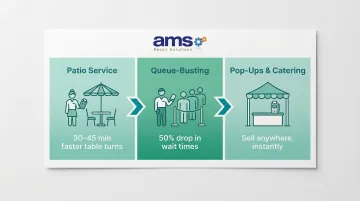
- Patio and outdoor seating — Staff can serve guests at outdoor tables and take payment tableside, cutting trips back to the counter. Odd Duck restaurant cut table turn times by 30–45 minutes after deploying Toast Go handhelds.
- Queue-busting during peak hours — A staff member in line can take orders and payments before customers reach the counter. Ezra & Gil café saw a 50% drop in queue times using Square Register alongside Square Terminal handhelds.
- Pop-ups and catering — Cafes running farmers market stalls or off-site events get a fully functional payment solution without hauling a fixed setup.
Countertop vs Portable POS: Which Is Better for Your Café?
Your service model, café layout, transaction volume, and budget each point toward a different answer. Here's how to match your situation to the right hardware.
Situational Recommendation 1: Choose Countertop
Choose a countertop terminal if your café is:
- Primarily counter-service with no table service
- Operating in a compact space with a single checkout station
- Processing a high volume of quick transactions (espresso bar model)
- Prioritizing maximum reliability with minimal staff training overhead
Situational Recommendation 2: Choose Portable
Choose a portable terminal if your café:
- Offers table service or patio seating
- Has staff on the floor who can take orders and payments tableside
- Wants to reduce wait times by meeting customers where they are
- Operates in multiple locations or pop-up formats
The Case for a Hybrid Approach
Many cafes find the best ROI by anchoring operations with a countertop terminal for the main counter and adding one or two portable devices for floor, patio, or queue management. This approach covers both reliability and flexibility without fully committing to one type.
The numbers support it: Via 313, a food service chain, saw a $10,000 increase in revenue per week by combining handheld tablets with kitchen display systems — achieving approximately two extra table turns per night per location.

Software Compatibility Matters
Whichever hardware you choose, the terminal must integrate with your inventory, loyalty program, and reporting tools. Disconnected hardware and software is one of the most common operational headaches in retail environments. AMS Retail Solutions' NCR Voyix Counterpoint platform, for instance, is built specifically for specialty retail operations — offering customizable tools, retail-hardened equipment, and 24/7 support that keeps both countertop and multi-zone POS setups running without gaps.
Real-World Impact
Reliability isn't just a convenience — it directly affects revenue. Payment system disruptions result in an estimated $44.4 billion in lost sales each year across U.S. retail and hospitality. On average, businesses experience more than five disruptions annually, with each outage lasting around two hours. Customers will wait only seven minutes for a payment system to recover before walking away — making offline capability a non-negotiable feature, not an upgrade.
Conclusion
Countertop terminals deliver reliability and speed for counter-service cafes; portable terminals unlock flexibility and floor coverage for table-service or multi-zone operations. Use these questions to narrow your choice:
- Do staff stay behind a counter, or move between tables and zones?
- Does your peak volume demand dedicated, fixed checkout lanes?
- Are you planning to expand seating, add outdoor service, or run events?
If your answers point in different directions, a hybrid setup — one countertop terminal for high-traffic checkout plus a portable unit for tableside service — often covers both needs without compromise. Start with what matches your current flow, then add capacity as your café grows.
Frequently Asked Questions
Can I use both countertop and portable POS terminals in the same café?
Yes, a hybrid setup is common and often ideal. Countertop terminals handle the main counter while portable devices cover the floor and patio. Most modern POS software supports both simultaneously, allowing real-time inventory and sales data synchronization across all devices.
What is the typical cost difference between countertop and portable café POS terminals?
Countertop terminals have higher upfront hardware costs ($899–$1,024+) but lower ongoing fees and a longer lifespan (3–7 years). Portable terminals cost less initially ($299–$749) but may carry monthly software or cellular data subscription costs, plus more frequent replacement due to battery degradation.
Do portable POS terminals work if the Wi-Fi goes down?
Many portable terminals offer an offline mode that stores transactions locally and syncs when connectivity is restored. However, reliability varies by device—buyers should confirm offline capability, transaction limits, and reconnection windows before purchasing.
Which type of POS terminal is better for managing a busy morning rush?
A countertop terminal provides the fastest, most reliable checkout at a fixed counter. However, adding a portable terminal for queue-busting (taking orders before customers reach the counter) can significantly reduce wait times during peak hours.
Can a portable POS terminal handle all the same features as a countertop system?
Most portable terminals run the same core POS software and support payments, order taking, and basic reporting. However, countertop systems may offer deeper integrations, larger screens for complex orders, and more peripheral connectivity (cash drawers, kitchen printers).
How do I know if my café needs to upgrade its POS terminal?
Key warning signs include slow transaction times during peak hours, frequent connectivity issues, missing integrations with loyalty or inventory tools, and staff workarounds that signal your hardware is holding you back. Any one of these is a strong signal to reassess your setup.