
This article covers the complete picture: barcode labels, scanning hardware, inventory software, POS workflows, and the reporting that ties it all together. We'll compare barcode types, walk through implementation step by step, and look at what to evaluate when choosing a system — including where a specialty-retail POS partner like AMS Retail Solutions fits into the process.
Key Takeaways
- A barcode system only works when labels, scanners, and software share accurate product data
- Garden retailers often skip barcoding small plants—plan a checkout backup for those gaps
- GS1 expects UPC and 2D codes to coexist through 2027 and beyond
- Pilot testing on one department before a full rollout prevents costly reconciliation problems
- Vendor support matters as much as the software license itself
What Is a Retail Barcode Inventory System?
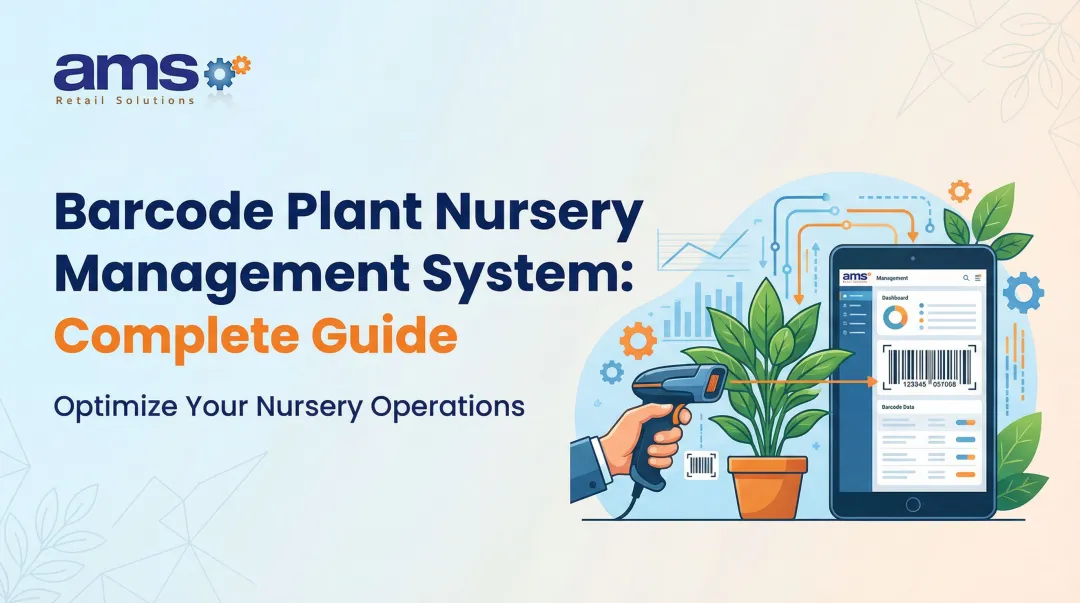
A retail barcode inventory system assigns a scannable identifier to every product or product variant. That identifier links to a record: SKU, description, price, quantity on hand, supplier, shelf location, and reorder point. Scan the barcode, and the system pulls up everything tied to that item.
Three components make this work:
- Barcode labels — identify individual products, cases, storage bins, or shelf locations
- Scanners — capture barcode data during checkout, receiving, cycle counts, transfers, and returns
- Inventory and POS software — updates quantities, pricing, sales history, and purchasing records in response to each scan
How a Transaction Actually Flows
A purchase order gets created, goods arrive, and staff check items in against that order. From there, products move to the shelf, get scanned at sale, and the software adjusts quantity on hand automatically. Returns, damage write-offs, and reorder triggers update the same records as those events happen.
Here's the part that trips up a lot of retailers: a barcode doesn't manage inventory by itself. It's just a pointer. Without accurate product data behind it and a defined process for using it, scanning an item tells you nothing useful. Most POS platforms treat this the same way: goods on a purchase order don't count as on-hand inventory until someone checks them in against that order.
Consumer Barcodes vs. Internal Barcodes
Because the barcode is only as useful as the record behind it, not every product can rely on a manufacturer code. Private-label goods, bundled kits, and store-assembled items often need internal barcodes created and printed in-house, separate from any manufacturer UPC.
Specialty Retail Complicates the Data
Internal codes get harder when the catalog itself is messy. Generic retail categories don't map cleanly onto garden centers, farm markets, or outdoor goods stores. Consider:
- Garden centers deal with plant varieties, sizes, and grades that vary shipment to shipment
- Farm and feed retailers sell by weight, by the bag, or by custom blend — not always by fixed unit
- Outdoor sporting goods need size, color, and model-year SKUs tracked as distinct variants
A 2016 Greenhouse Grower survey of 201 garden retailers found that 57% didn't barcode small annuals at all, and 44% skipped shrubs. That points to a structural gap, not bad data entry.

If a plant never gets tagged, no scanner will find it at checkout. Staff need a documented fallback—department key, price lookup, or another store-fit option—before that gap backs up the register.
Why Retailers Use Barcode Inventory Systems
Manual entry is slow and inconsistent. Two people counting the same shelf rarely land on the same number twice. Scanning replaces that guesswork with a repeatable action: scan the barcode and the system records it. That consistency shows up across receiving, cycle counts, price lookups, and transfers between locations.
From Visibility to Decisions
Knowing what's actually on hand, not what a spreadsheet says should be on hand, changes how a retailer operates day to day:
- Replenishment orders reflect real sell-through, not guesswork
- Slow-moving inventory gets flagged before it ties up cash for another season
- Staff can tell a customer whether an item is in stock without walking the floor
Shrink and Accuracy
The National Retail Federation's 2023 National Retail Security Survey reported average retail shrink of 1.6% for fiscal year 2022, up from 1.4% the year before. That figure covers retail broadly. It isn't a benchmark specific to independent garden centers or feed stores.
Still, it illustrates why accurate, scan-based transaction records matter: they create an audit trail. When counts don't match, exception reports point to where and when the discrepancy happened instead of leaving staff to guess.
What Customers Notice
Faster checkout is the obvious win, but there's more underneath it:
- Price lookups happen instantly, cutting down on "let me check" delays
- Product availability information is more reliable when a customer asks about stock
- Loyalty and clienteling programs run cleaner when purchase history ties back to accurate item records
These gains depend on connecting each scan to a system built to use the data.
How to Implement a Barcode Inventory System
Rolling out a barcode system works best as a sequence, not a single event. Skipping steps here is where most implementation headaches start.
Map current workflows. Document receiving, checkout, cycle counts, transfers, returns, purchasing, and reporting — including multi-location needs if they apply. You can't fix what you haven't written down.
Clean the product master file. Before assigning or importing barcodes, standardize SKUs, variants, units of measure, vendors, pricing, tax rules, reorder points, and categories. A barcode built on messy data just scans messy data faster.
Select compatible software, scanners, printers, and labels. Verify everything works with your POS, accounting, ecommerce, and purchasing tools before buying equipment — not after.
Choose the right barcode format. Use UPC or EAN for standard consumer products when suppliers already provide them. For batch tracking or traceability, use 2D formats like QR codes or Data Matrix, and confirm GS1 or trading-partner rules before you finalize anything sold outside your store.
Label products and locations, then test. Print labels for representative packaging, curved surfaces, small items, and anything exposed to moisture or low light. A label that scans perfectly under office lighting might fail on a feed bag out in the yard.
Pilot before you scale. Start with one department or category. Reconcile opening inventory and train staff on the real workflow, not just scanner basics. Document what to do when something goes wrong, then expand only once results check out.

Where a POS Partner Fits
This is a lot to coordinate: software, hardware, labels, training, and data cleanup all at once. AMS Retail Solutions works as a single source for that process.
The team pairs NCR Voyix Counterpoint as the central POS and inventory platform with retail-hardened equipment, configuration, and support. Specialty retailers get one point of contact through setup and beyond, instead of separate software and hardware vendors.
How to Choose the Right Retail Barcode Inventory System
Start with workflow fit, not price. A system that's cheap at checkout but painful during receiving or cycle counts will cost more in labor than it saves in software fees.
Inventory Capabilities to Confirm
Look for support across:
- Product and variant management, purchase orders, receiving, transfers, and cycle counts
- Returns, adjustments, reorder alerts, and vendor management
- Reporting and audit history you can actually use, not just export
- Seasonal merchandise, variable units, kits or bundles, and department-specific pricing where relevant
Hardware That Matches the Task
| Device Type | Best Fit | Key Considerations |
|---|---|---|
| Corded presentation scanner | Fixed checkout counters | Durability, scan speed, counter space |
| Cordless handheld scanner | Bulky items, mobile checkout | Battery life, charging cradle |
| Mobile computer | Stockroom, receiving, floor work | Wi-Fi coverage, on-device app, ruggedness |
Confirm 1D/2D support, scan range, and how well each device handles damaged or low-contrast barcodes. Outdoor and greenhouse environments punish equipment that wasn't built for them.
Integration and Continuity
Beyond the device itself, check integration with accounting, ecommerce, payment processing, and loyalty programs. Ask about offline transaction capability too: a network outage shouldn't mean checkout stops entirely.
Vendor Value Beyond the License
A software license is the easy part. What matters more over time:
- Implementation guidance and staff training
- Equipment sourcing and troubleshooting
- Response times when something breaks
- Scalability from one store to several
AMS Retail Solutions positions its NCR Voyix Counterpoint offering around that kind of long-term fit. It is a single POS and inventory environment meant to support checkout speed, inventory control, and room to grow, without overselling software as a fix for problems it alone can't solve.
Best Practices and Common Challenges
Getting a barcode system live is one milestone. Keeping it accurate is the ongoing work.
Establish clear data ownership. Someone needs to own new SKU creation, supplier updates, price changes, and discontinued-item cleanup. Duplicate records cause more scanning errors than bad barcodes do.
Count more often, not just once a year. Lightspeed's retail guidance draws a clear line between a full physical inventory and recurring cycle counts of selected stock. Schedule both: a baseline count to start clean, and regular spot checks by department or shrink risk to catch problems early.

Maintain the physical equipment. Scanners, printers, batteries, and network connections all degrade. Use durable label stock, and check contrast, sizing, and placement — especially on curved containers, bags, or anything headed outdoors.
Expect a few predictable problems:
- Employee resistance to a new workflow
- Duplicated or unreadable barcodes
- Incomplete opening inventory counts
- Weak Wi-Fi in stockrooms or greenhouses
- Inconsistent units of measure across product lines
Train for the exceptions, not just the happy path. Staff need to know what to do when an item won't scan, a price looks wrong, or the system goes offline, not just how to ring up a normal sale. Offline-capable POS keeps checkout moving during network drops. AMS Retail Solutions includes 24/7 support with its NCR Voyix Counterpoint implementations; confirm the coverage terms on your account.
Build a More Controlled Retail Operation
A barcode inventory system earns its value when four things line up:
- Accurate product data
- Capable software
- Hardware suited to the job
- Staff who follow a consistent process
Miss any one of those, and you're left with expensive scanners producing the same unreliable numbers you had before.
Next, document your store's highest-friction workflows, confirm the integrations and barcode formats you need, and talk with a retail technology partner like AMS Retail Solutions before you buy a single scanner.
Frequently Asked Questions
Which barcode software is considered the best?
It depends on your store size, workflows, and required integrations. NCR Voyix Counterpoint through AMS Retail Solutions is one option worth evaluating for specialty retail, but no single platform fits every store.
What is the difference between a barcode scanner and a barcode inventory system?
A scanner is just the data-capture device. The full system includes labels, product records, POS or inventory software, defined workflows, and reporting built around all of it.
Should a retail business use 1D or 2D barcodes?
UPC or EAN (1D) codes work fine for standard product identification. QR or Data Matrix (2D) codes make sense when you need to pack in more data, such as batch tracking or traceability information, in a small label.
Can a barcode inventory system work with an existing POS?
Sometimes, depending on your POS platform, scanner compatibility, barcode formats, and how your data is structured. Confirm these details before assuming any new equipment will integrate cleanly.
What equipment is needed for a retail barcode inventory system?
At minimum: scanners, barcode labels, a label printer, POS terminals, and inventory software. Mobile computers or handheld devices are optional additions for stockroom and receiving work.