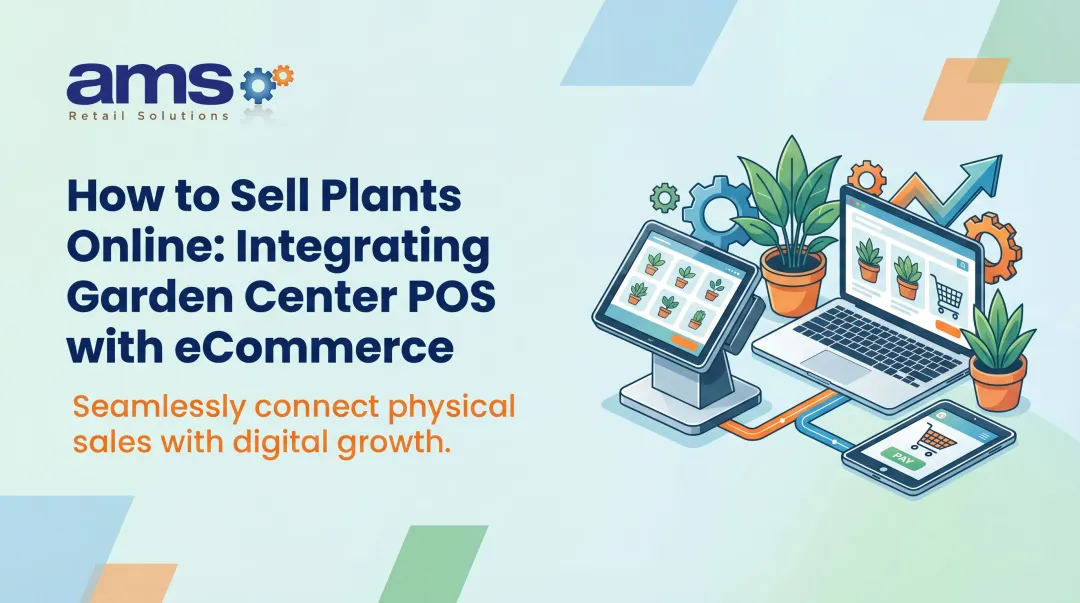

Retail POS eCommerce integration connects your checkout system to your online store, so transactions and operational data move between them automatically instead of through manual re-entry.
This guide covers what integration actually means, why it matters for specialty retailers, what data should flow between systems, how to choose the right approach, and how to implement it without disrupting daily operations. We'll use real examples from garden centers, feed and seed stores, and outdoor retailers throughout.
Key Takeaways
- Disconnected POS and eCommerce systems create duplicate entry, pricing errors, and bad inventory counts
- Two-way sync updates online availability from store sales and in-store stock from online orders in near real time
- Specialty retail integrations must handle seasonal goods, variants, and multi-location transfers
- Clean data, clear sync rules, and pre-launch testing determine whether integration succeeds
What Is Retail POS eCommerce Integration?
Retail POS eCommerce integration connects your checkout system and online store so both sides share live data. A standalone terminal that only rings up sales, or a setup that exports a nightly sales file to your accountant, still leaves online and in-store operations on unsynced data.
A connected setup moves information in both directions:
- The POS sends store sales, returns, and inventory changes to the eCommerce or back-office system
- The online system sends orders, product updates, pricing changes, and customer information back to the POS
POS in eCommerce vs. eCommerce Integration with POS
These terms get used interchangeably, but they mean different things:
- POS in eCommerce describes using a retail checkout system as one piece of a broader commerce operation — online store, marketplace listings, and physical registers working under one roof
- Integration refers to the actual data exchange between those systems — the mechanism that keeps everything in sync
Here's what that looks like in practice. A customer orders a jacket online for in-store pickup. The store fulfills it, and inventory drops by one unit across every sales channel instantly.
A week later, the customer exchanges it in-store for a different size. The POS records the exchange, updates stock for both sizes, and purchase history stays accurate wherever they check it. Without integration, each step needs a manual update in a spreadsheet or second system, and mistakes show up fast.

Why Retailers Need POS eCommerce Integration
When your point-of-sale and eCommerce platform don't talk to each other, someone on your team becomes the translator. That means manually entering online orders into inventory software, updating prices in two places, and reconciling sales reports at the end of every day. It's slow, and it's where errors multiply.
Disconnected systems typically create:
- Duplicate data entry across POS and online catalog
- Delayed inventory updates that lead to overselling or phantom stock
- Inconsistent pricing between channels
- Inaccurate reporting that makes forecasting harder
- Customer-service friction when staff can't see online order history
The Case for Real-Time Visibility
For specialty retailers, inventory visibility is operational survival. A garden center with limited quantities of a seasonal plant variety, or a sporting goods store with one remaining size in a popular boot, needs accurate stock counts across every location and channel at the same time.
Integration also unlocks omnichannel services that customers now expect:
- Buy online, pick up in store (BOPIS)
- Ship from store
- Cross-channel returns and exchanges
- Store-to-store inventory transfers
The revenue impact of getting this right is significant. According to IHL Group's 2025 analysis of inventory distortion, retailers using hybrid data capture methods saw 61% higher BOPIS revenue and 71% higher ship-from-store revenue than the retail average.

That's an association across a broad set of retailers, not a guaranteed outcome for any single store, but it points to where the opportunity sits.
Beyond revenue, integration cuts labor. Fewer manual reconciliations, fewer spreadsheet updates, fewer price overrides typed twice.
AMS Retail Solutions' NCR Voyix Counterpoint POS software builds several of these efficiencies into daily operations, including real-time management alerts and reporting that flags out-of-stock trends before they become lost sales.
What Data and Workflows Should Sync?
Not every piece of information needs to sync the same way. Some data should flow instantly. Some can update on a schedule. Understanding which system "owns" each record type is the foundation of a working integration.
Products and Pricing
Your product catalog, including SKUs, descriptions, variants, categories, images, prices, promotions, tax rules, and location assignments, generally lives in one system as the source of truth. That system pushes updates outward.
Sales and Orders
Online orders, in-store transactions, payments, discounts, fulfillment status, cancellations, refunds, exchanges, and return reasons all need a defined path between systems. A cancelled online order, for example, should release reserved inventory back to sellable stock immediately, not at the end of the day.
Inventory Across Locations
This is where specialty retailers face the most complexity:
- Store, warehouse, and eCommerce stock levels
- Reserved inventory tied to pending orders
- Purchase orders and incoming stock
- Cycle counts, damaged goods, and shrink adjustments
- Transfers between store locations
Customer and Loyalty Data
Contact details, consent status, purchase history, loyalty identifiers, and rewards balances should sync without creating duplicate customer records — a common headache when the same shopper buys online under one email and in-store under a different one.
Accounting Data
Tender types, taxes, fees, deposits, refunds, and settlement batches need to reach your finance team at whatever level of detail they require for reconciliation. Here's how this plays out for specialty retailers:
| Retailer Type | Workflow Challenge |
|---|---|
| Garden center | Seasonal plants require location-level availability that changes weekly as stock moves in and out |
| Feed and seed store | Online orders for in-store pickup need updates after pickup, cancellation, or partial fulfillment |
| Outdoor sporting goods retailer | In-store returns of online purchases must preserve original payment and inventory history |
| Seasonal inventory management matters more than most POS discussions acknowledge. A Garden Center magazine study of 82 garden centers found the ten most profitable centers generated 76% of revenue from perishables, compared to 66% for the group overall, with profitability of 18.5% versus 10.4%. | |
| Retailers managing high-turnover, perishable inventory need integration rules that account for stock that changes character and value week to week. AMS Retail's Garden Center & Nursery POS is built to track that detail, down to plant size and grade. |

Choosing the Right Integration Approach and POS
The right POS–ecommerce connection depends on transaction volume, technical resources, and how fast data must move between channels.
Integration Methods Compared
| Approach | Setup Effort | Flexibility | Best For |
|---|---|---|---|
| Native connectors | Low | Limited to vendor's design | Simple catalogs, single platform |
| API-based integration | Moderate to high | High | Retailers needing custom workflows |
| Middleware/iPaaS | Moderate | High | Multiple systems, scheduled sync |
| Custom development | High | Highest | Complex or unique requirements |
Sync timing matters as much as the method:
- Event-based — a sale triggers an immediate inventory adjustment
- Scheduled batch — transfers run every 15 minutes or on a longer cadence
Celigo's documentation on ecommerce integration scheduling notes that flow frequency can range from every 15 minutes to once a week, depending on connection capacity and operational urgency.

A Platform Evaluation Checklist
Before selecting a POS or integration method, assess:
- Ecommerce compatibility — connects to your storefront, not "ecommerce" in the abstract
- Inventory depth — variants, serialized items, and multi-location stock
- Offline operation — checkout keeps running during an internet outage
- Payments and promotions — tender types and discount rules work on both channels
- Reporting and security — finance-ready detail with protected customer data
- Total cost of ownership — hardware, support, and ongoing maintenance
Why Product Complexity Matters
Those checklist items get harder when the catalog is specialty-grade. Generic POS systems rarely handle inventory like this:
- Fashion and footwear: style-color-size matrices, markdown cadence, sell-through reporting
- Farm and agriculture: custom blends, weighed and bagged goods, lot tracking, grower accounts on terms
- Outdoor and sporting goods: model-year SKUs, regulated and serialized items, seasonal markdowns
For those catalogs, NCR Voyix Counterpoint—available through AMS Retail Solutions—is built around ecommerce integration and real-time, multi-location inventory. NCR Voyix's Counterpoint product page lists those as core capabilities, from a single store up to 500 locations.
Still, confirm compatibility with your storefront—Shopify, BigCommerce, WooCommerce, or a custom build—in current documentation. A general API on either side does not guarantee a ready-made, certified connector.
How to Plan, Implement, and Reduce Risk
Integration projects fail more often from poor planning than from bad software. Use this six-step sequence to map systems, assign data ownership, and launch with fewer surprises.

1. Discovery and Data Cleanup
Start by documenting every system currently in play: POS, eCommerce, payments, accounting, inventory, CRM, loyalty, warehouse, and fulfillment. Assign an owner to each data set.
Then clean up your product, SKU, variant, location, customer, tax, and payment data before mapping fields. Inconsistent identifiers—such as two SKUs for the same product—create duplicate listings, failed orders, and inventory counts that drift out of sync.
2. Define Ownership and Sync Direction
For each data category, name the system of record and how other systems receive updates:
- Product details and pricing: eCommerce or PIM owns catalog copy; POS receives price and item updates
- Available inventory: POS or warehouse system owns on-hand qty; eCommerce reads reserved/available balances
- Customer records: CRM or POS owns the profile; other channels sync identity and loyalty keys
- Orders and returns: Channel of capture owns the order header; POS/ERP owns fulfillment and refund status
- Financial summaries: Accounting system owns the books; POS posts balanced tender and tax totals
3. Build Exception Handling
Plan the playbook for when things go wrong:
- Duplicate customers: Match on email/phone before create; merge rules with a manual review queue
- Overselling from sync delay: Safety stock or short reservation windows on shared SKUs
- Failed payments or cancelled orders: Auto-release inventory and notify fulfillment within minutes
- Returns without receipts: Lookup by card, loyalty ID, or item/serial; cap no-receipt refunds
- Network outages mid-sale: Offline queue with forced reconciliation when the connection returns
4. Test Before You Launch
Run test orders, discounts, returns, exchanges, inventory adjustments, and multi-location transfers in a controlled environment. Include peak-season volume scenarios, not just average-day traffic.
5. Train Staff and Prepare Fallbacks
Give store teams role-specific training, written procedures, and a fallback checkout process for when the system hiccups. Include a clear escalation path so employees know exactly who to call.
6. Monitor After Launch
Track these post-launch signals weekly (daily in the first two weeks):
- Order-sync success rate — failed or delayed orders between web and store
- Inventory discrepancy rate — channel vs. on-hand variance by location/SKU
- Return-processing time — receipt to restock or refund completion
- Checkout time — average seconds per transaction at peak
- Manual corrections per week — overrides that signal mapping or training gaps
Managing the Risks
Legacy POS hardware, undocumented APIs, and inconsistent workflows between store locations all raise integration risk. Payment data does too—confirm your setup meets current PCI DSS requirements for each channel, because card-present and card-not-present flows carry different obligations.
Reduce exposure with a few non-negotiables:
- Pilot one location before multi-store cutover
- Document system ownership and a written rollback plan
- Verify offline sales queue and post-outage reconciliation
- Retest tax, tender, and returns after every major mapping change
Offline capability protects revenue during an outage, but queued sales still need a sync strategy once connectivity returns. Don't treat offline mode as a substitute for reconciliation.
A phased rollout—pilot store, clear owners, rollback path—limits disruption when something misses the mark. AMS Retail Solutions helps specialty retailers run that path with Counterpoint configuration, retail-hardened POS hardware, and 24/7 support through launch and after.
Build a More Connected Retail Operation
POS eCommerce integration is a coordinated strategy for how inventory, orders, customers, payments, and reporting move across your entire business. It needs ongoing attention, not a one-time checkout upgrade.
Getting it right means prioritizing:
- Accurate data mapping between systems
- Two-way synchronization where transaction volume demands it
- A POS built for your specific specialty-retail complexity
- Offline resilience and security
- Staff adoption and dependable support
Your next step: Document your current systems and integration requirements before evaluating any solution. That groundwork makes every conversation with a POS provider faster and more productive, including when you review a Counterpoint-based environment.
Frequently Asked Questions
What is POS integration?
POS integration connects a point-of-sale system with other business platforms so sales, inventory, customer, order, payment, and product data can move automatically or on a defined schedule, without manual re-entry between systems.
What is POS in eCommerce?
POS in eCommerce describes an in-person checkout system operating as part of a broader commerce environment, sharing products, orders, inventory, and customer data with an online store instead of running alone.
What does "integrated POS" mean?
An integrated POS communicates with eCommerce, accounting, inventory, CRM, payment, or loyalty systems automatically. A standalone checkout terminal that doesn't exchange data with these systems isn't truly integrated.
Which POS systems are compatible with Shopify?
Compatibility depends on native apps, certified connectors, APIs, and the specific data flows required. Check current Shopify and POS documentation before treating any system as a ready-made connection.
What is the best POS software for retail stores?
For specialty retail, the best POS fits your product complexity, locations, eCommerce platform, inventory needs, offline requirements, and budget. Prioritize systems built for specialty operations over generic, one-size-fits-all tools.
What are the best cloud-based POS systems for retail?
Compare cloud POS options on inventory depth, eCommerce integration, multi-location control, offline mode, security, reporting, hardware, and total cost. For specialty retailers, confirm those capabilities in current product docs—they change often.