
Many specialty retailers get stuck choosing between terminals, scanners, printers, payment devices, and reporting tools. The risk runs both ways: overspend on equipment you'll never use, or underbuy and outgrow your system in a year.
This guide breaks down the core components, how they work together, which features matter most for specialty retailers, and how to evaluate a system built for growth.
Key Takeaways
- POS hardware, software, and payment processing are three distinct layers that must work together, not one bundled product
- Specialty retailers need features generic systems skip: weight-based pricing, plant grading, serialized inventory, lot tracking
- Total cost of ownership includes far more than the terminal price tag
- Offline capability protects sales during outages but carries payment-authorization risks worth understanding upfront
- The right system fits your current operation while leaving room to add registers, locations, or online sales
What Is a POS System?
A point-of-sale (POS) system is the connected hardware and software that rings up sales, takes payment, updates inventory, issues receipts, and logs each transaction for reporting. According to NetSuite's breakdown of POS systems, the device that records the sale, the software that updates inventory, and the processor that handles the card payment are three separate functions. Confirm each one when you evaluate a system.

Three Distinct Layers
- Hardware: physical equipment such as the terminal, scanner, printer, and cash drawer
- Software: pricing, inventory, reporting, and customer records
- Payment processing: the service that moves money from the customer’s card to your bank account
A basic transaction flow looks like this:
- Staff scans or selects an item
- Software calculates tax, discounts, and total
- Customer pays via card, cash, or mobile wallet
- Receipt prints or sends digitally
- Inventory count adjusts automatically
- Sale logs into daily and category reports
Integrated platforms put those layers in one system. NCR Voyix Counterpoint, which AMS Retail Solutions implements for specialty retailers, connects selling, inventory, and reporting so registers and stock tracking are not managed as disconnected tools.
Retailers differ in how much of that platform they need:
- In-store checkout only
- Mobile selling on the floor
- Buy online, pick up in store
- Multi-location control from one dashboard
Match the platform to the jobs you actually run day to day, so you are not paying for modules you will not use.
POS Hardware: Essential and Optional Components
Hardware needs depend on your store format, product catalog, checkout volume, and whether you sell from a fixed counter, a mobile cart, or both. A boutique with 40 SKUs has very different needs than a garden center moving mulch by the yard.
Terminal Options
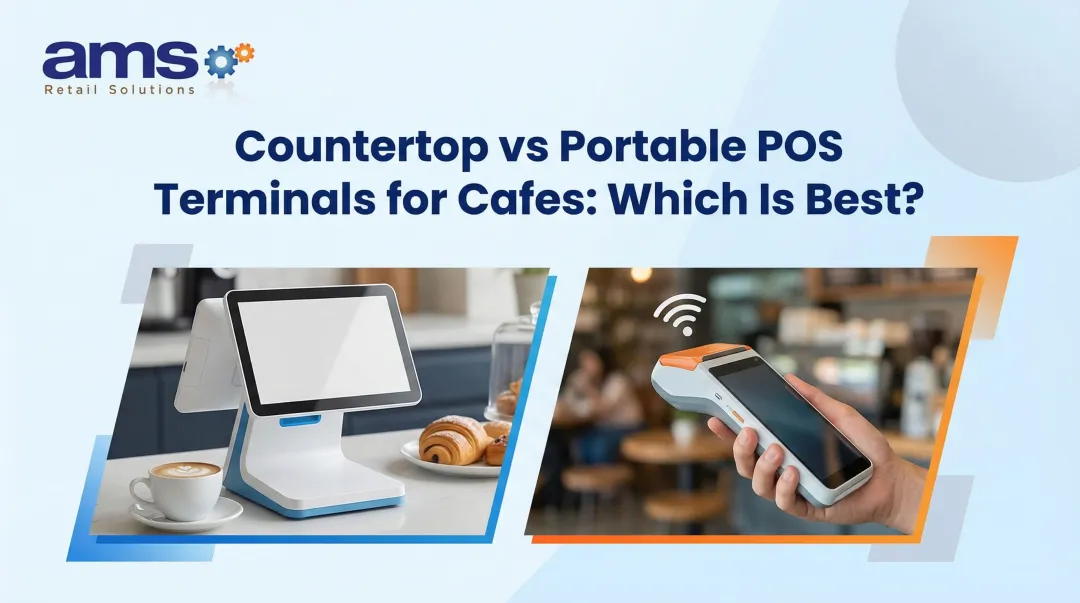
- Countertop terminals — fixed stations built for high-volume checkout
- Tablet-based setups — flexible, lower-cost counter stations
- Mobile POS devices — handheld units for lot sales, curbside pickup, or roaming checkout
Match the terminal to how you sell. AMS Retail's Landscape & Hardscape Supply POS uses mobile terminals for lot sales instead of tying every transaction to a fixed counter. Industry lineups such as Square's US hardware range follow the same split across countertop registers, tablet stands, and handheld devices.
Payment Hardware
Card readers need to support EMV chip cards and contactless payments, including mobile wallets like Apple Pay and Google Pay. EMVCo's contactless chip standard confirms these are separate technical capabilities. Not every reader supports every wallet, so confirm compatibility before buying rather than assuming.
Scanners, Printers, and Displays
Barcode scanners speed up checkout and cut manual entry errors. But specialty retailers often need more than basic lookup:
- Garden centers and nurseries need scanners and tags that track plant material by size and grade
- Outdoor and sporting goods stores need support for serialized, regulated items and model-year SKUs
- Specialty food and wine shops need fast lookup by vintage and varietal
Receipt printers and cash drawers remain essential wherever cash changes hands. Customer-facing displays let shoppers review scanned items, discounts, and totals before paying. That visibility cuts price disputes and builds trust at checkout.
Specialty Equipment
Some retail categories need hardware you won't find on a generic vendor's shelf:
- Retail scales for weight-based pricing (feed and seed, bulk foods)
- Label printers for barcode tags and shelf signage
- Load-ticket support for bulk material like soil, mulch, or gravel sold by weight or volume
- Ruggedized equipment rated for dust, dirt, and moisture in greenhouse or outdoor environments
- Backup power and wireless networking to keep checkout running during outages
Before buying anything, verify durability, warranty terms, replacement lead times, and whether the device works offline if your connection drops.
POS Software: Features That Run the Business
Software is the operational layer. It organizes sales, inventory, customer data, employee activity, and reporting so every checkout feeds the rest of the business.
Inventory Management
Real-time stock visibility separates a functional POS from a frustrating one. Look for:
- Product variants (size, color, unit of measure)
- Purchase orders and supplier records
- Low-stock alerts and reorder points
- Multi-location transfers and cycle counts
Specialty retailers need that same logic applied to their own categories—seasonal plants, feed and seed items, or products with dozens of size and color variants—plus multi-location transfers when you run more than one store or yard.
Sales and Checkout Tools
A capable POS handles more than a basic ring-up:
- Discounts, promotions, and mix-and-match pricing
- Returns, exchanges, and layaways
- Gift card sales and tracking
- Tax settings for multiple jurisdictions
- Digital receipts and split payments
Employee Management and Reporting
User permissions matter more than most retailers realize until something goes wrong. Solid systems include:
- Role-based access limiting discounts, refunds, and drawer access
- Time tracking and sales attribution by employee
- Register accountability at shift close
Reporting is where inventory decisions actually get made. Garden Center magazine documented how Petitti Garden Centers used POS sales and real-time inventory reports to check available and incoming stock when patio demand rose, then placed orders accordingly. That workflow shows reporting driving buying decisions—not a guaranteed profit outcome, but a clear process in action.
AMS Retail's reporting tools follow the same idea. They help you spot slow-moving inventory, compare cost versus retail value, flag out-of-stock risks, and schedule staff around hourly sales volume.

Integrations and Deployment Models
Your POS needs to talk to your accounting software, ecommerce platform, and payroll system. AMS Retail's Feed and Seed software, for example, interfaces directly with QuickBooks and other accounting tools, cutting out duplicate data entry.
Cloud, local, and hybrid deployments each carry trade-offs:
| Model | Internet dependence | Remote access | Offline capability |
|---|---|---|---|
| Cloud-based | High | Strong | Varies by provider |
| Locally installed | Low | Limited | Strong |
| Hybrid | Moderate | Moderate | Built-in fallback |
How POS Hardware and Software Work Together
Picture a single sale at a farm market during a Saturday rush. The scanner reads a barcode, the software calculates tax and applies a loyalty discount, and the payment terminal processes a contactless tap.
The receipt printer issues a paper copy, and the cash drawer opens if change is due. All of that happens in seconds, and every piece updates the same backend simultaneously.
Why Integration Matters
An integrated system eliminates duplicate data entry. Inventory, sales records, customer purchase history, and reports all update without a staff member touching a second system. For specialty retailers, that translates into:
- Faster checkout during peak seasons
- More accurate stock counts (less manual reconciliation)
- Better cash-flow visibility
- Stronger control over shrink
Payment Integration and Security
Integrated payments simplify reconciliation, but they require checking processor compatibility, transaction fees, and settlement timing upfront. Security fundamentals to confirm with any provider:
- Unique login credentials per employee
- Encrypted or tokenized payment data
- Regular software updates on a secure network
- PCI DSS compliance for every entity that processes payments, as confirmed by the PCI Security Standards Council
- A documented process for lost or stolen devices
Offline Capability: Read the Fine Print
Offline functionality sounds simple: keep selling when the internet drops. But Adyen's documentation on offline payments warns that offline-approved transactions can still fail once connectivity returns, exposing merchants to fraud, chargebacks, and liability. Ask any provider exactly what happens between an offline sale and its later authorization.

AMS Retail's Feed and Seed POS includes offline capability specifically for these connectivity gaps, letting checkout continue at the counter or in the field without stopping business.
A Practical Scenario
A garden center rings up a customer buying a flat of annuals, a bag of soil, and a decorative planter. The scanner reads the plant's size-and-grade barcode, the soil is weighed on an integrated scale, and the planter rings up as a kit item.
The software applies a seasonal discount and processes payment. Plant inventory counts update immediately and feed the end-of-day sales report used to plan the next mulch order.
How to Choose the Right POS Hardware and Software System
Start with an honest requirements inventory before you talk to a single vendor.
Build Your Requirements List
- Number of locations, registers, and employees
- Product count and inventory complexity
- Payment methods you need to accept
- Mobility needs (lot sales, curbside, farmers markets)
- E-commerce plans
- Current software you need to integrate (accounting, payroll)
Compare Total Cost of Ownership
Don't compare terminal price tags alone. Gartner's total cost of ownership research warns that optimizing for the lowest unit price often increases overall costs. Factor in:
- Hardware and peripherals
- Software subscription fees
- Payment processing rates
- Installation and data migration
- Training and ongoing support
- Maintenance and replacement equipment
Vendor Comparison Checklist
- Hardware compatibility with your chosen software
- Offline capability and uptime guarantees
- Security certifications and data ownership terms
- Contract length and export options if you switch
- Support availability (business hours vs. 24/7)
- Upgrade policies as you grow
Request a live demo using your actual workflows. Don't watch a canned presentation. Ask the vendor to process a return, apply a discount, complete a split payment, and pull a low-stock report using your own product categories.
Those scenarios also show who owns the full stack when something breaks. AMS Retail Solutions works with independent specialty retailers on NCR Voyix Counterpoint software, retail-hardened hardware, customizable tools, and offline POS capability.
Instead of juggling separate vendors for hardware, software, and support, you get one partner accountable for the whole system, plus 24/7 support and one-on-one training.
The system you pick today should handle tomorrow's growth too, whether that means adding a second register, opening a new location, or launching online sales, without forcing a full platform switch.
Conclusion: Build a POS System Around the Way You Sell
POS hardware is the physical checkout infrastructure. POS software manages the transactions, data, and daily workflows behind it. Neither works well without the other.
Fit beats feature count and sticker price. Choose a system that matches your products, staff, payment needs, and growth plans.
Before you sign a contract:
- Compare complete hardware-and-software systems, not isolated components
- Test real checkout and inventory workflows with your team
- Confirm support coverage, uptime expectations, and security terms
- Work with a POS provider who understands specialty retail, not general merchandise
Frequently Asked Questions
How much does POS hardware cost?
Cost depends on terminal type, station count, and peripherals: scanners, printers, payment devices, cash drawers, displays, and scales. Request a complete itemized quote rather than comparing single-unit prices.
What hardware do I need for a POS system?
At minimum, you need a terminal, a payment reader, and reliable connectivity. Scanners, printers, cash drawers, displays, and scales depend entirely on your specific workflow and product mix.
What POS system is best for specialty retail?
Prioritize systems built for complex specialty inventories with barcode scanning, product variants, purchase orders, customer accounts, returns processing, and detailed reporting. Multi-location support matters if you plan to expand.
What is the best POS hardware?
The best hardware is durable, compatible with your software and payment processor, easy for staff to learn quickly, and backed by reliable warranty and service support. Fit matters more than brand name.
Who provides POS systems and hardware?
POS software companies, payment providers, retail technology vendors, and single-source partners each offer different combinations of hardware, software, installation, training, and support. Some fill multiple roles at once.
What is the most commonly used POS software?
There's no single universal leader. Industry research on fashion-retail POS platforms describes the market as fragmented, meaning the right choice depends on your industry, inventory complexity, and business size.