
Among disaster-affected small employers surveyed, the Federal Reserve found that 84% reported business interruption or lost sales as their most common loss. The authors note the sample is unweighted and includes only firms that survived, so treat it as a signal, not a universal rate.
This guide helps specialty retailers build a practical plan: risks, critical systems, recovery priorities, named responsibilities, customer communications, and testing.
Key Takeaways
- Protect what keeps the store selling, serving, tracking inventory, and reconciling money.
- Follow five steps: assess risks, map systems, set recovery targets, assign roles, test procedures.
- Plan for everyday failures like POS outages and human error, not only storms.
- Keep offline copies of contacts and procedures, and test before a real emergency.
Why Small Retail Businesses Need a Disaster Recovery Plan
Disaster recovery vs. business continuity
NIST describes a disaster recovery plan as a written plan to recover information systems after a major hardware or software failure or facility destruction. A business continuity plan sustains business processes during and after a significant disruption.
For a retailer, the two work as a pair:
- The DR plan restores the POS, payment connection, and inventory data.
- The continuity plan tells staff how to ring sales, answer customers, fulfill orders, and communicate while systems are down.
Retail disruptions stop revenue quickly
An outage touches more than checkout. It can affect:
- Payment acceptance and gift card balances
- Inventory accuracy and purchase orders
- Customer accounts and loyalty programs
- Ecommerce orders and staff scheduling
- End-of-day reconciliation
The details vary by store:
- A garden center loses seasonal plant sales on a peak spring Saturday
- A farm market loses card payments at a weekend stand
- A feed and seed store can't look up customer accounts
- An outdoor sporting goods shop can't check stock during a hunting-season rush
Each business should map its own dependencies.
Rank risks by likelihood and impact
Score every threat on two questions: how likely is it, and how badly would it hurt sales? Everyday technology failures and human error often rank higher than fire or flood because they happen more often. Severe weather, theft, and ransomware still belong on the list, since their impact is high.
A Federal Reserve analysis found that fewer than one-third of affected firms carried insurance covering business interruption or lost sales. Check your coverage as part of the ranking exercise.
How to Create a Disaster Recovery Plan in 5 Steps
Step 1: Assess risks and run a business impact analysis
Ready.gov describes a business impact analysis as predicting the consequences of disruption and prioritizing restoration of the processes with the greatest impact first.
Start simply:
- List likely threats.
- Pick the three to five functions whose loss would immediately stop sales, block customer service, compromise inventory control, or delay reconciliation.
- For each, note the impact, the people and vendors involved, the systems used, and any utility or location dependencies.
Step 2: Identify critical systems, data, and dependencies
Build an inventory covering:
- POS terminals, payment processing, and networking gear
- Inventory databases and accounting systems
- Ecommerce tools, customer and loyalty records
- Email, phones, security equipment, supplier portals
For each item, record:
- Owner and vendor support details
- License information and login requirements
- Backup location
- Dependencies such as electricity, internet, payment processors, and third-party software
Step 3: Set recovery time and recovery point objectives
NIST defines the recovery time objective (RTO) as how long a system can be in recovery before it harms the business. The recovery point objective (RPO) is the point in time to which data must be recovered.
Set them separately for each system. Checkout and payments need faster recovery than internal reporting. If you can only afford to lose an hour of transactions, your backups must run at least hourly. Let budget and risk tolerance shape the final numbers.
Step 4: Assign roles, contacts, and procedures
Keep roles practical. Four are usually enough:
- Recovery lead
- Technical or vendor liaison
- Store operations lead
- Communications lead
Name a primary and a backup for each. Then compile contacts for:
- Employees and leadership
- POS and payment vendors
- Internet providers and utilities
- Insurers, landlords, and suppliers
- IT support and relevant agencies
Ready.gov advises making the list accessible during an incident, so keep a copy outside systems that could be down.
Step 5: Implement backups, fallbacks, testing, and review
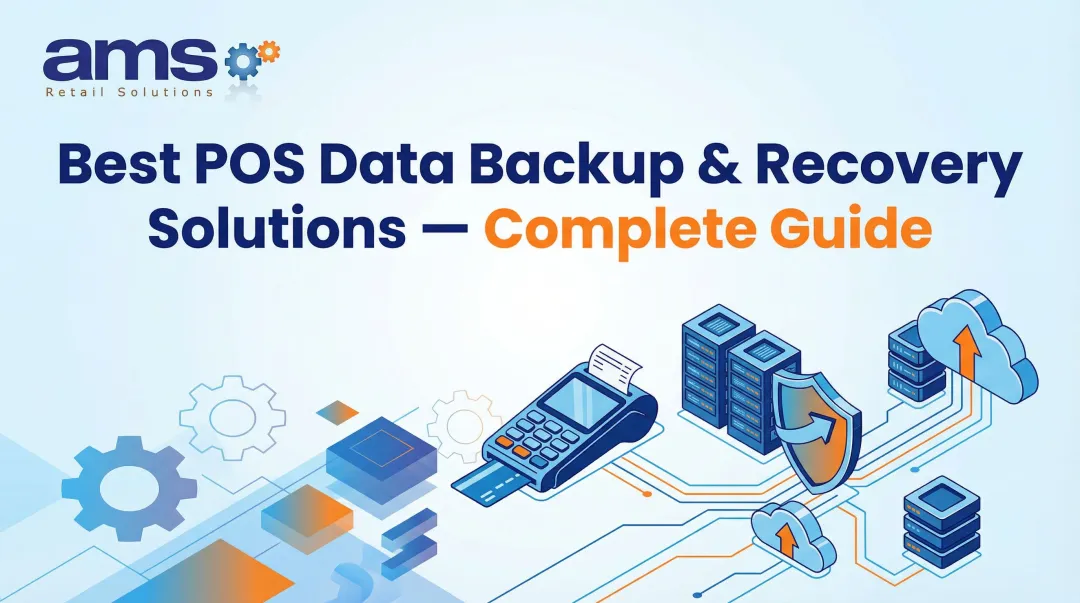
CISA recommends encrypted, offline backups of critical data, kept separate from production systems, with regular restoration tests. Its StopRansomware guide warns that ransomware may try to delete or encrypt accessible backups. The 3-2-1 approach (three copies, two media types, one off-site) is a solid baseline.
Also write fallback procedures for:
- Taking orders and accepting payments when possible
- Recording sales and inventory changes
- Communicating with customers
- Reconciling transactions after systems return

What Your Retail Disaster Recovery Plan Should Protect
A retail disaster recovery plan should protect the systems, records, and spaces that keep you selling. Assign owners, backups, and a tested recovery path for each area below.
POS, payment, and connectivity operations
Document the recovery sequence for:
- Terminals, payment terminals, and cash drawers
- Receipt printers and scanners
- Network equipment and internet service
Add a quick triage: is the problem local, hardware, network, or the payment provider? Each answer points to a different fix.
Approve temporary payment and receipt procedures in advance. Staff shouldn't invent them mid-outage.
Inventory, purchasing, and fulfillment information
Cover the records that keep stock moving:
- Product records and stock levels
- Purchase orders and supplier contacts
- Receiving records, reservations, special orders, and transfers
Seasonal or perishable stock, such as plants or farm produce, needs tighter controls and faster recovery.
Require a reconciliation step for anything recorded manually. Without it, you get duplicate sales, wrong stock counts, and missing orders once systems return.
Customer, employee, and financial data
Identify what needs backup, access controls, or encryption:
- Customer contacts and loyalty accounts
- Gift card balances
- Employee records
- Accounting data, tax records, and banking details
A few rules of thumb, none of them legal advice:
- The PCI Council's small-merchant guide warns against keeping card details in email.
- The FTC says to take affected equipment offline, but not power it off, before forensic experts arrive.
- State breach notification laws vary, so check yours.
- IRS guidance recommends backing up electronic tax records and keeping duplicates separately.
Physical facility and equipment loss
Plan for events that can stop store operations:
- Fire, flooding, and severe weather
- Theft, power failure, and HVAC problems
- Loss of store access
Employee safety comes first, including the decision to suspend operations.
Also keep ready:
- A hardware and asset inventory
- Insurer contacts for property and business interruption coverage
- Alternate storage options
- A process for replacing essential equipment
POS continuity and vendor support
Confirm these points with your POS provider before an outage:
- Whether the system supports offline operation
- How transactions sync when connectivity returns
- What controls prevent duplicate records
Merchants also bear the risk of declined offline card payments, so understand your processor's rules.
AMS Retail Solutions is an authorized provider of NCR Voyix Counterpoint, a single-source POS for specialty retailers. Features include offline POS when the network is unavailable, customizable tools, retail-hardened equipment, and 24/7 support. That capability is one piece of resilience, not a replacement for your full plan, and it does not guarantee uninterrupted operations.

How to Activate, Test, and Maintain the Plan
When to activate
Set objective triggers:
- A critical POS or payment function down past your tolerance
- Suspected ransomware or unauthorized access
- Significant data corruption
- Loss of the premises
- Extended power or connectivity failure
- A major supplier disruption
Give a named recovery lead the authority to declare activation, and write down who steps in if that person, the manager, or the main vendor contact can't be reached.
First response
Safety comes first: protect people, secure the premises, and call emergency services or building management if needed. Only then turn to technology.
For suspected cyber incidents, CISA advises isolating affected systems, preserving logs and images where appropriate, and reporting to CISA, the FBI, or IC3. Don't delete evidence. Loop in your IT, insurer, and law-enforcement contacts.
Fallback operations and communication
Keep a short checklist for limited operations:
- Approved payment alternatives
- Manual sales and order records
- Inventory notes and receipt procedures
- Cash controls and staffing changes
- Customer service priorities
Prewrite messages for employees, customers, suppliers, and vendors. Decide who may speak externally, which channels to use, and how often to update.
Recover in priority order
Restore by tier:
- Safety and customer-facing sales
- Inventory and fulfillment
- Communications
- Finance, reporting, and admin tools
After each step, validate:
- User access and payment behavior
- Transaction records and inventory accuracy
- Backup integrity, security controls, and data sync
Test, update, and learn
CISA's small-business guidance recommends quarterly tabletop exercises, quarterly plan review, and tested backups. Match your cadence to your risk. Retest after changes to POS hardware or software, payment providers, locations, vendors, staff, network setup, or backups.
After every test or incident, record:
- What worked and what failed
- How long recovery took
- Whether RTO and RPO targets were met
- Revisions, each with an owner and due date

Make the Plan Practical and Affordable
Start with the highest-impact protections
Protect what stops sales first. Then extend to inventory, accounting, communications, and employee records. A tiered approach lets you spend more on fast recovery for checkout and less on reporting tools.
The SBA's preparedness page links to FEMA checklists and notes that free SBA counseling is available.
Combine technology, people, and physical safeguards
Low-cost basics go a long way:
- Secure, tested backups
- Multifactor authentication, especially on email
- Prompt software patching
- Surge protectors, plus battery backup for essential equipment
- Insurance review, including business interruption and cyber coverage
- Employee training
Technology can't replace clear ownership, current documentation, and manual fallbacks. Cross-train staff so the one person who knows the POS isn't a single point of failure.
Keep accessible copies and review regularly
Store at least one copy of the plan, contacts, checklist, vendor details, and insurance information away from the premises and systems that could fail.
Create a one-page emergency checklist for immediate response, backed by fuller technical instructions and an asset inventory you update as the store changes.
Review everything at least annually and whenever you hire or change functions.
Frequently Asked Questions
What are the 5 steps of disaster recovery planning?
Assess risks and business impact, identify critical systems and data, set RTO and RPO targets, assign responsibilities and procedures, then implement, test, and update recovery measures.
When would a DRP be activated?
When a disruption threatens a critical retail function or exceeds its acceptable downtime. Examples include serious POS, payment, data, cyber, facility, power, or connectivity incidents.
What is a good disaster recovery plan for businesses?
A good plan is documented, risk-based, specific to your store, and reachable during an outage. It names responsible people, relies on reliable backups and fallback procedures, and gets tested regularly.
What should a small retail business include in a disaster recovery plan?
Include critical systems, inventory and customer data, recovery priorities, contacts, vendor escalation, communications, safety steps, alternate procedures, backups, insurance details, and testing records.
How often should a small business test its disaster recovery plan?
CISA suggests quarterly tabletop exercises for small businesses. Test again after major system, vendor, staffing, or premises changes, and document results and updates after every exercise or incident.