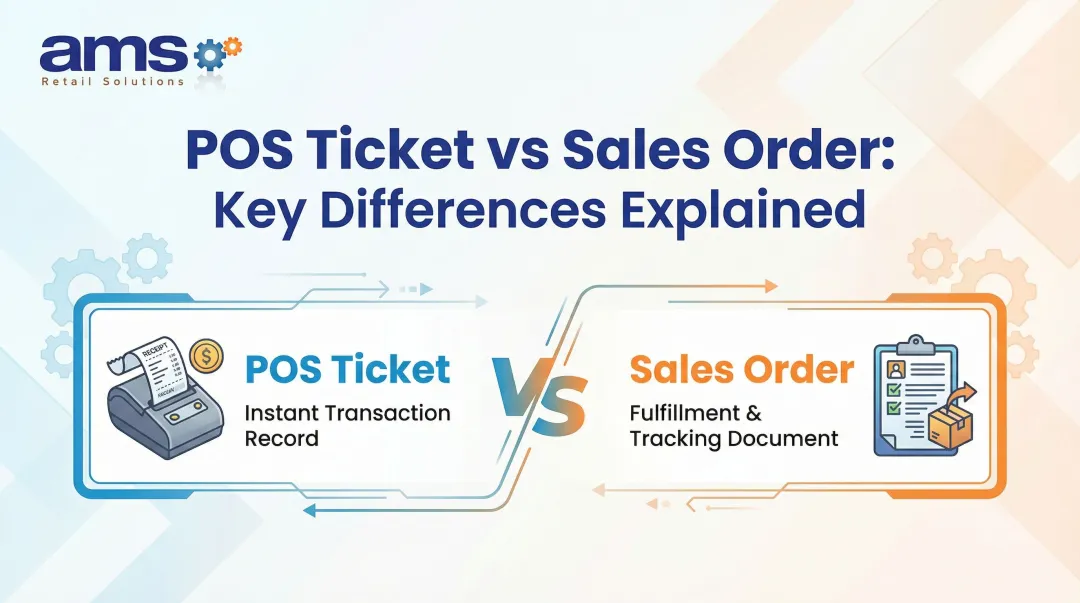

That record affects checkout speed, inventory accuracy, contractor billing, customer disputes, and how much re-keying happens the next morning. About 45 of 160 garden centers surveyed in 2019 still ran without a POS, so paper is far from rare. No credible, current figure exists for ticket error rates at landscape yards, so we won't invent one.
Neither option wins everywhere. The right call depends on volume, material mix, staffing, connectivity, and what paperwork your state requires.
Key Takeaways
- Paper is cheap and familiar, but every ticket must be written, checked, filed, and often re-keyed.
- A POS ties the sale to pricing, inventory, payment, and reporting, at the cost of setup, training, and hardware.
- Compare total workflow cost, not the price of paper versus equipment.
- Confirm which scale tickets, delivery documents, and tax records you must keep alongside any POS ticket.
Paper vs POS Load Tickets: Quick Comparison
| Factor | Paper | POS |
|---|---|---|
| Upfront cost | Pads and carbon forms | Software, hardware, setup, support |
| Ongoing labor | Writing, correcting, filing, re-entry | Initial product setup and training |
| Accuracy | Depends on handwriting and memory | Standardized products, pricing rules, timestamps |
| Inventory | Updated later, if at all | Can update at sale |
Cost and administrative effort
Paper costs almost nothing to start. The expense shows up later in labor: handwriting, double-checking, correcting, filing, and typing totals into accounting software.
Rundoo, a landscape-supply software vendor, describes the legacy pattern as handwritten tickets re-keyed into QuickBooks the next morning. That is a vendor description, not a measured result.
A POS adds software, terminals, printers, and training costs. In exchange, it can cut repeated entry and the lag between loading and billing.
Operational control and accuracy
On paper, quantities, prices, and material names are hard to read, update, search, or verify. A smudged "3" that looks like an "8" becomes an argument at the counter.
A POS uses standardized product records, pricing rules, timestamps, employee IDs, and a searchable history. The record is more consistent because nobody retypes it.
Inventory, customer experience, and scalability
Paper strains as you add loading areas, contractor accounts, or locations. Keeping pickup status, account balances, and inventory in sync gets harder with every ticket.
A connected system can improve checkout speed, customer history, and inventory visibility. In one nursery case, Flower World reported checkout dropping from over five minutes to under one after leaving a paper-assisted process. That was a nursery checkout, not bulk loading, so treat it as directional.
What Are Paper Load Tickets?
A paper load ticket records the customer, material, quantity, unit of measure, price, vehicle or pickup details, destination for deliveries, payment status, and yard confirmation.
The typical workflow
- Staff take the order.
- Someone writes or prints the ticket.
- The customer pays or charges the account.
- The ticket goes to the yard crew.
- The loader confirms the load.
- The office files the ticket for inventory and accounting.

Variations include handwritten pads, duplicate or triplicate carbon forms, preprinted tickets, and tickets printed from a separate scale or calculator.
Where paper works
Paper has real advantages for small operations:
- Minimal setup and no new system to buy
- Easy for seasonal staff to pick up
- A fallback record during an outage
Where it breaks down
As volume grows, the problems stack up:
- Repeated data entry and illegible handwriting
- Missing signatures and mismatched quantities
- Lost tickets and delayed inventory updates
- Disputes over what was loaded or paid for
Use cases for paper
Paper can stay workable when you have:
- Low daily volume and a small product range
- Simple pickup and limited staff
- Need for a temporary backup only
It turns risky with:
- Multiple loading areas or several locations
- Frequent contractor accounts
- Materials sold in several units
- Delivery scheduling and heavy seasonal demand
What Are POS Load Tickets?
A POS load ticket is a transaction record generated by point-of-sale software. It captures the customer, materials, quantities, prices, payment, and fulfillment status at checkout.
One record can then support several steps: selling the material, applying customer pricing, reducing inventory, printing a ticket for the yard, and producing a receipt or invoice.
What to evaluate in a landscape-supply POS
- Weight, volume, piece, and pallet units
- Contractor pricing and charge accounts
- Deposits, returns, and tax handling
- Pickup or delivery status
- Employee permissions
- Searchable transaction history
AMS Retail Solutions documents NCR Voyix Counterpoint with up to five alternate units per item and up to six price levels for customer types. It also prints load tickets that tell yard crews what to pull, and its landscape page lists per cubic yard, per ton, per bag, and per pallet pricing.
Operational impact
The expected gains are fewer repeated entries, faster retrieval, more consistent pricing, and easier end-of-day reconciliation. AMS states that Counterpoint eliminates manual double entry across systems.
Attleboro Farms in Massachusetts reported more effective inventory tracking after moving to Counterpoint. Labor savings, accuracy rates, reconciliation time, and invoice turnaround depend on your volume and setup, so request those figures during a demo.
Limitations and requirements
A POS is not plug and play. Plan for:
- Product and unit setup
- Hardware placement at the counter and in the yard
- Staff training and workflow configuration
- Network reliability
- Scale and printer compatibility, which you should confirm with your provider
- Data migration and backups
Use cases for POS
POS suits garden centers, nurseries, and landscape suppliers with frequent transactions, varied materials, contractor accounts, pickup, or delivery orders.
A typical flow: the counter rings up two cubic yards of mulch at the contractor's tier price, the system reduces inventory, a ticket prints at the yard, the loader confirms, and the invoice posts to the account. Exact steps depend on how the system is configured.

AMS Retail Solutions offers NCR Voyix Counterpoint as a customizable, single-source POS for specialty retail, with fast checkout and offline capability. Its landscape and hardscape offering covers load tickets, will-call and delivery orders, contractor accounts with tiered pricing, and mobile terminals for selling from the lot. Ask for confirmation of the specific scale models and integrations your yard needs.
Paper vs POS: What Is Better for Landscape Supply?
Decision factors
- Daily ticket volume and number of checkout points
- Product and unit complexity
- Inventory and customer-account needs
- Pickup and delivery coordination
- Staff capacity and connectivity
- Legal or contractual document requirements
Situational recommendations: Choose paper if your workflow is genuinely simple or temporary. Evaluate a POS when these issues keep recurring:
- Repeated ticket entry
- Inventory discrepancies
- Slow reconciliation
- Customer disputes
- Seasonal rushes at the counter
Compliance check
A POS ticket may not replace every document. Rules vary by state and commodity:
- NIST's 2026 model rules require mulch to be sold by volume, while bulk soils and aggregates may be sold by volume or weight. These are model regulations adopted differently by each authority.
- Montana requires duplicate delivery tickets for qualifying bulk deliveries sold by weight.
- California requires sales tax records for at least four years, and POS data must be retained too.
Ask your state weights and measures office what applies to you.
Evaluation checklist
- Can it set up your units and conversions?
- Does it handle contractor pricing and accounts?
- Does it manage payments, returns, and inventory adjustments?
- Can it print or send tickets?
- Does it offer reporting and user permissions?
- Does it work offline?
- Does it integrate with your scales and accounting tools?
- What support is included?
A phased transition: You don't have to flip a switch. Keep paper as a documented backup or for specific compliance steps, while the POS handles sales, customer records, inventory, payment, and searchable history. Retire paper step by step as staff gain confidence.

Real-World Examples
Published landscape-yard case studies with hard numbers are scarce, so the examples below come from adjacent retail settings with the limits noted on each.
- Flower World (Epicor): Staff wrote cart items on a pad, then keyed the sale into the register and PIN pad. Checkout fell from over five minutes to under one; open registers dropped from 14 to five (nursery, not a bulk yard).
- Urban Garden (Lightspeed): The vendor reports 10x checkout speed and 5x shorter lines, with no manual baseline.
- Attleboro Farms (Counterpoint via RCS): The business reports better inventory tracking and reporting, with no variance figure.
The common thread: the trigger was slow, repetitive entry at the counter. None of these publish inventory variance or invoice turnaround for a landscape yard, so test those yourself during a demo.
If your yard runs on handwritten tickets and next-morning re-keying, contact AMS Retail Solutions at 757.495.4995 to discuss whether a customizable NCR Voyix Counterpoint workflow fits your operation.
Conclusion
Paper suits simple, low-volume yards with few products and little account activity. A POS fits better when you need connected sales, inventory, customer, payment, and fulfillment records.
Before deciding:
- Compare total labor and error costs
- Verify which documents your state requires
- Test any system against real material, pickup, delivery, and peak-season scenarios
Frequently Asked Questions
What does load mean in trucking?
A load is the cargo carried on a vehicle. A landscape-supply load ticket is different: it records a customer's material order, quantity, fulfillment, and payment or account details.
How long do e-tickets take to arrive?
It depends on your POS configuration, internet connection, and delivery method (email, text, printer, or portal). Emailed receipts may wait for connectivity to return. Ask your provider for specifics.
What should a landscape supply load ticket include?
Customer, date, ticket number, material, quantity and unit, price, tax, payment or account status, and pickup or delivery details. Add signatures or scale references where required.
Can a POS system replace paper load tickets?
It can replace many internal paper steps. Confirm whether receipts, scale tickets, delivery confirmations, or other documents must still be retained in your state.
Are POS load tickets better for inventory and billing?
They can connect each sale to quantities, pricing, accounts, and inventory adjustments. Results depend on accurate product setup and staff adoption.
Can a POS system work when the internet is down?
Some can. AMS Counterpoint continues transactions locally and synchronizes when the connection returns. Confirm with your provider whether offline card payments are supported.